Digital profile frequently asked questions
What is a digital profile?
A digital profile is a free user profile created to help you complete your transactions quickly and easily via the Turkish Airlines website and mobile app.
What is the difference between a digital profile and a Miles&Smiles membership?
The digital profile and Miles&Smiles are different services. You can easily sign into your digital profile via social media or email and manage your bookings more conveniently. However, a digital Profile does not offer Mile earning or status benefits.
What transactions can be performed through a digital profile?
You can perform basic transactions such as purchasing tickets, managing reservations, and saving personal information.
What are the benefits of creating a digital profile?
As a digital profile user, you can make flight reservations more easily and quickly on the Turkish Airlines website and mobile app. Since your personal information is saved in your account, you don’t need to re-enter your details when booking flights. Additionally, if you subscribe to our newsletter, you can stay updated on current promotions offered by Turkish Airlines and even receive personalized offers.
How do users create a digital profile?
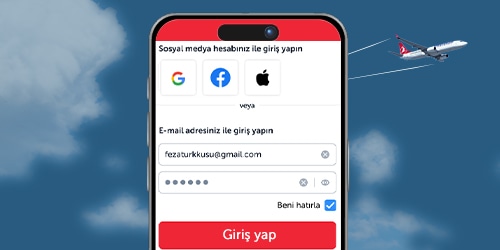
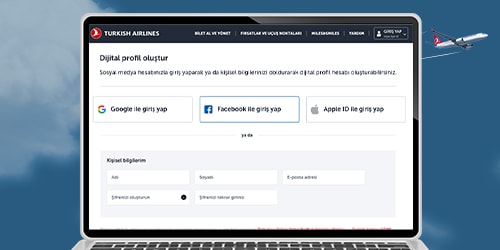
You can create a digital profile through the Turkish Airlines website or mobile app via your social media accounts (Google, Facebook, Apple ID) or with your email address, first name, last name, and a password.
What steps should be taken if there’s an error message when creating a digital profile password?
Please make sure your password meets the following criteria:
- It must be at least 8 characters long.
- In addition to letters, the password must include numbers and special characters such as “?, @, !, #, %, +, -, *, %, _”.
- The password must contain both uppercase and lowercase letters.
Can Miles&Smiles accounts be accessed via a digital profile?
Your digital profile does not provide direct access to your Miles&Smiles account. However, by linking your digital profile to your Miles&Smiles account, you can access your Miles&Smiles account from your digital profile simply by entering your password.
Can Miles&Smiles accounts be linked to digital profiles?
Yes. When you link your digital profile and Miles&Smiles account, the verified information in your Miles&Smiles account is transferred to your digital profile. After the process, the information in your Miles&Smiles account (first and last name, date of birth, APIS information, My Flights, My Travel Companions) will be linked to your digital profile and will appear there. The information transferred from Miles&Smiles to your digital profile will remain visible here even if the link is removed. You can edit or delete the information that continues to appear in your digital profile.
What are the steps for linking digital profiles to Miles&Smiles accounts?
You can link your digital profile and Miles&Smiles accounts via the “Miles&Smiles” tab in your digital profile. To complete the process, simply log in with your Miles&Smiles membership number and password, then confirm the one-time verification code (OTP) sent to the email address registered to your Miles&Smiles account.
How can digital profile information be updated?
You can update your user information, API information, and contact details via “Personal Information” tab in your account. Once your digital profile is linked to your Miles&Smiles account, you can’t make changes in this section; if necessary, relevant updates can be made through the Miles&Smiles account used for the link.
Can digital profiles be closed?
You can close your digital profile using the “Delete” option in the “Account” tab. Once the process is complete, your access to your profile will end, and your digital profile will be closed. A closure initiated by the user can’t be undone, and a closed digital profile can’t be reactivated.
Can Miles be earned through a digital profile?
A digital profile does not, on its own, grant the right to earn Miles or achieve status. When you link your Miles&Smiles account to your digital profile, you can earn Miles through your digital profile only from tickets purchased in your own name.
How can feedback requests submitted through digital profiles be tracked?
You can track your requests through the Help Center after verifying your email address and name.
Can digital profile users create a new digital profile account if they lose their password?
You can have only one digital profile associated with your email address, so you can’t create a new profile with the same email address. Instead, you’ll need to reset your password. Click the “Forgot My Password” option on the login page and enter your email address; a link to reset your password will be sent to you.