Passa al contenuto principale

Miles&Smiles account and transaction security

Miles&Smiles prioritizes the security of your account and transactions and its systems are continually enhanced to ensure this commitment.

What is Two-Factor Authentication ?

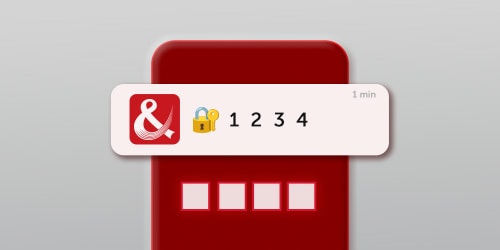
In addition to your Miles&Smiles password, Two-Factor Authentication adds an extra layer of security to your account transactions. To ensure transaction security, you may be asked to verify your identity with a One-Time Password (OTP). Two-Factor Authentication can be carried out using the methods outlined below:

- One-time Password via SMS

- One-time Password via Whatsapp

What is the purpose of Two-Factor Authenticationn?

- Increased security: This approach enhances security by incorporating an additional layer of protection for your account and transactions.

- User-friendly: Your transaction can be quickly completed with the one-time password sent via WhatsApp or SMS during the operation.

What is the process for obtaining a one-time password (OTP)?

During certain transactions, a one-time password is sent via WhatsApp and SMS to the mobile phone number registered in your Miles&Smiles account. Please ensure that your registered phone number is correct and up to date. If you’re unable to receive the OTP through WhatsApp, please make sure that you’re using the latest version of the app and that you’ve accepted the updated WhatsApp terms and privacy policy.

You can click the link to access the Turkish Airlines WhatsApp Smart Assistant: WhatsApp

Suggestions for ensuring account and transaction safety

When a login is made from a new device, a notification containing the login details is sent to your registered email address. Please ensure that the email address in your Miles&Smiles account is up to date to receive these notifications.If you are logging in from a trusted device, you can mark that device as safe by clicking the link in the email. This way, you won’t receive login notifications from that device again. If the activity is not yours, you can temporarily secure your account.

For faster and more secure transactions, we recommend accessing the Turkish Airlines website and mobile app from your personal device.


Be cautious of any message requesting your personal information, whether it is an email or an SMS; do not click on suspicious URLs. For more information about phishing, please visit our phishing awareness page. 

Frequently Asked Questions (FAQ)

If the One-Time Password (OTP) is not received, what action should be taken? Learn more

First, ensure that your phone number is up to date. If your phone number is correct and updated, make sure that you have service in your current location. If you don't have service, you can still access your one-time password via WhatsApp with an internet connection.

If the mobile phone number hasn’t been updated, and the account can’t be accessed, what action should be taken? Learn more

If your registered mobile phone number is out of date, please contact us using the feedback form. We will assist you as soon as possible.