
跳转到主要内容


How to connect

 
TKCONNECT application process is built to be straightforward and well-supported. Check the basic process outline below, or skip directly to the detailed guide—it’s designed to answer all your questions, no matter how you plan to connect. You can fill out the application form in the link below and complete the membership process to benefit from TKCONNECT advantages.

Step 1: Start with online application form

Begin your journey with TKCONNECT by completing the online application form in the link above:
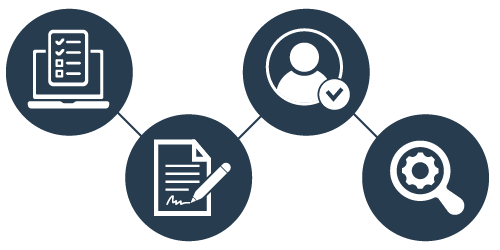
  1. Fill Out the Form – Provide the required details and select your role as either an Agency or an Aggregator.
  2. Sign an NDA – Complete the nondisclosure agreement.
  3. Approval – Wait for approval from both your local sales team and the NDC team.
  4. System Check – Ensure your systems meet technical requirements. We will review your application for readiness, suitability for integration, and confirm the next steps with you.

Step 2: Choose your connection type

We offer flexible connection options tailored to your business and technical capabilities.

Note: If you apply as an Aggregator or via API (Direct Connection), you will also receive UI access.

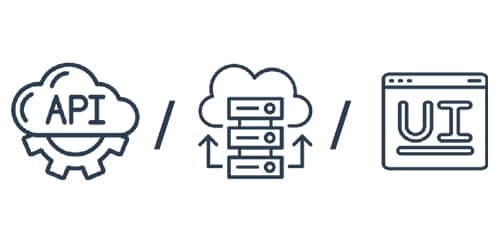
Available connection types:

  • UI (For non-technical users)
  • Aggregator (for those using third-party providers)
  • API (Direct connection)

Each method delivers real-time data, comprehensive functionality, and an intuitive user experience.
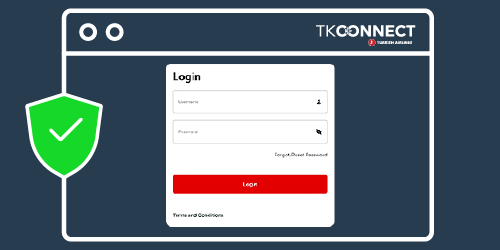
Connection Type One: UI (For non-technical users)

  1. Log in – Access the platform with secure credentials after your application is approved.
  2. Navigate – Use the intuitive dashboard to search and book flights
  3. Manage Bookings – Modify, cancel, or update reservations with just a few clicks.

This option allows you to manage NDC-enabled offers without any technical setup.
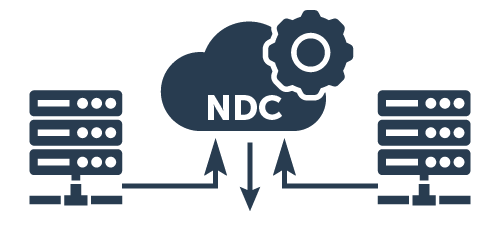
Connection Type Two: Via an aggregator (For those using-third party providers)

If you work with a third-party provider or plan to do so, you can connect through a certified aggregator:

  1. Apply as an Agency – Select “Agency” in the application form. You will also choose your preferred aggregator.
  2. Work through – Follow the aggregator’s setup guidelines to connect over NDC content.
  3. Testing – Run initial tests to ensure compatibility and smooth operations.

This approach lets you keep your existing workflow while accessing our extensive inventory.
Connection Type Three: API (Direct connection)

For partners who want a customizable and direct integration:

  1. Access Documentation – Once approved, you’ll receive detailed API documentation.
  2. Integration – Implement the API into your system for real-time data and booking capabilities.
  3. Testing – Conduct thorough testing to ensure accurate data exchange and optimal performance.

This method gives you maximum control and flexibility in tailoring functionalities.
Step 3: Certification and testing (Required for aggregator and API connections only)

Before going live, your integration undergoes a certification process:

  1. Compliance Check – Verify technical and performance standards.
  2. Testing – Run comprehensive tests to identify and resolve any issues.
  3. Certification – Receive official approval confirming readiness for launch.

This step ensures a stable and reliable integration for your business.
Step 4: Go Live!

  1. Final review – Confirm your setup and configurations.
  2. Launch – Start offering exclusive fares, rich content, and enhanced booking capabilities.
  3. Ongoing support – Access continuous support and regular updates to maximize the benefits of TKCONNECT.

Note: UI applications go live immediately without certification.

Welcome aboard! We’re excited to have you join us and look forward to a successful, long-term partnership in transforming the travel experience.